Home/Home & Decor/Islamic Wall Art/Islamic Samsung Frame TV Art - Calligraphy Freize, Electic Decor, Tepe Madraseh, Arabesque Decor, Mosque, Geometric Art, Architecture
Etsy
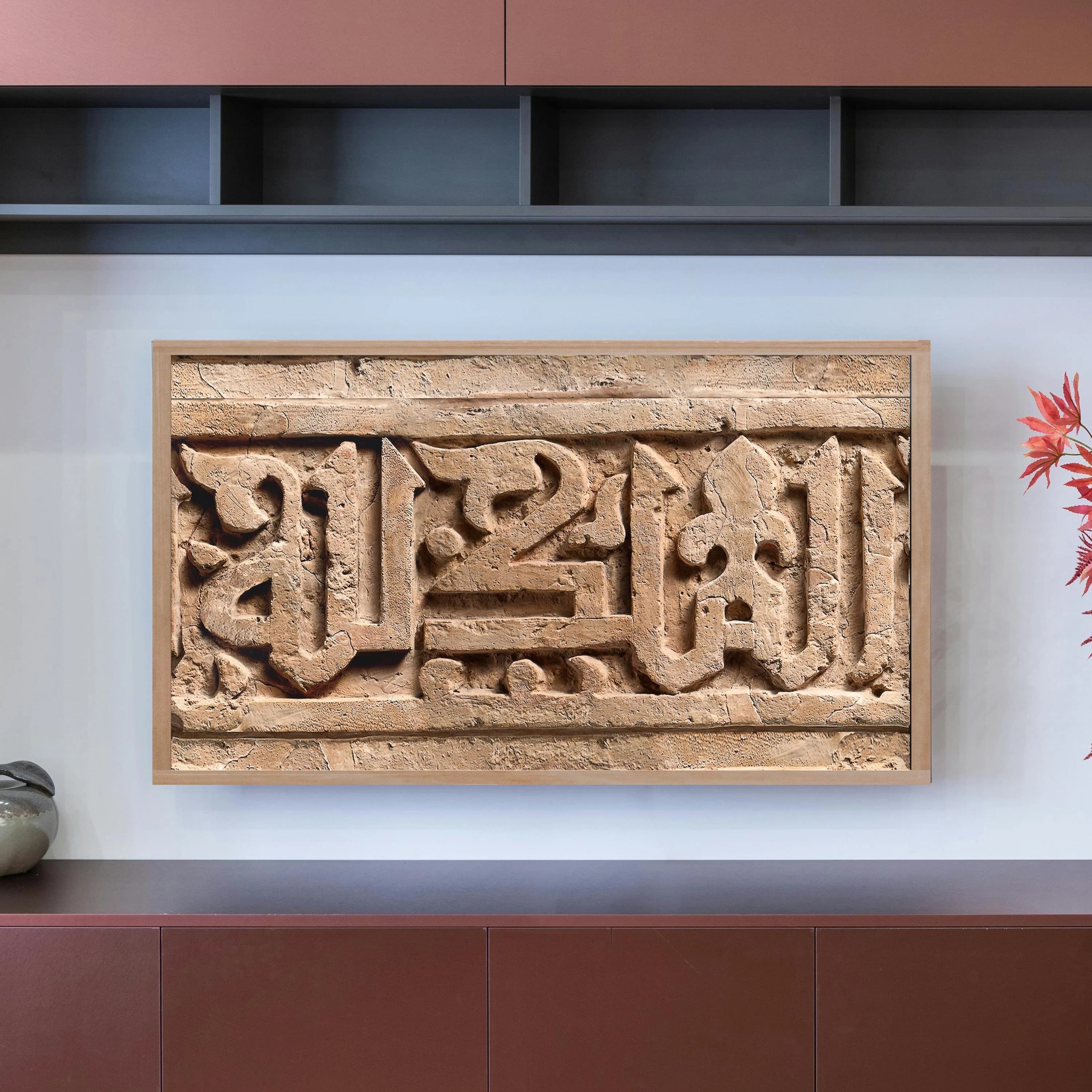
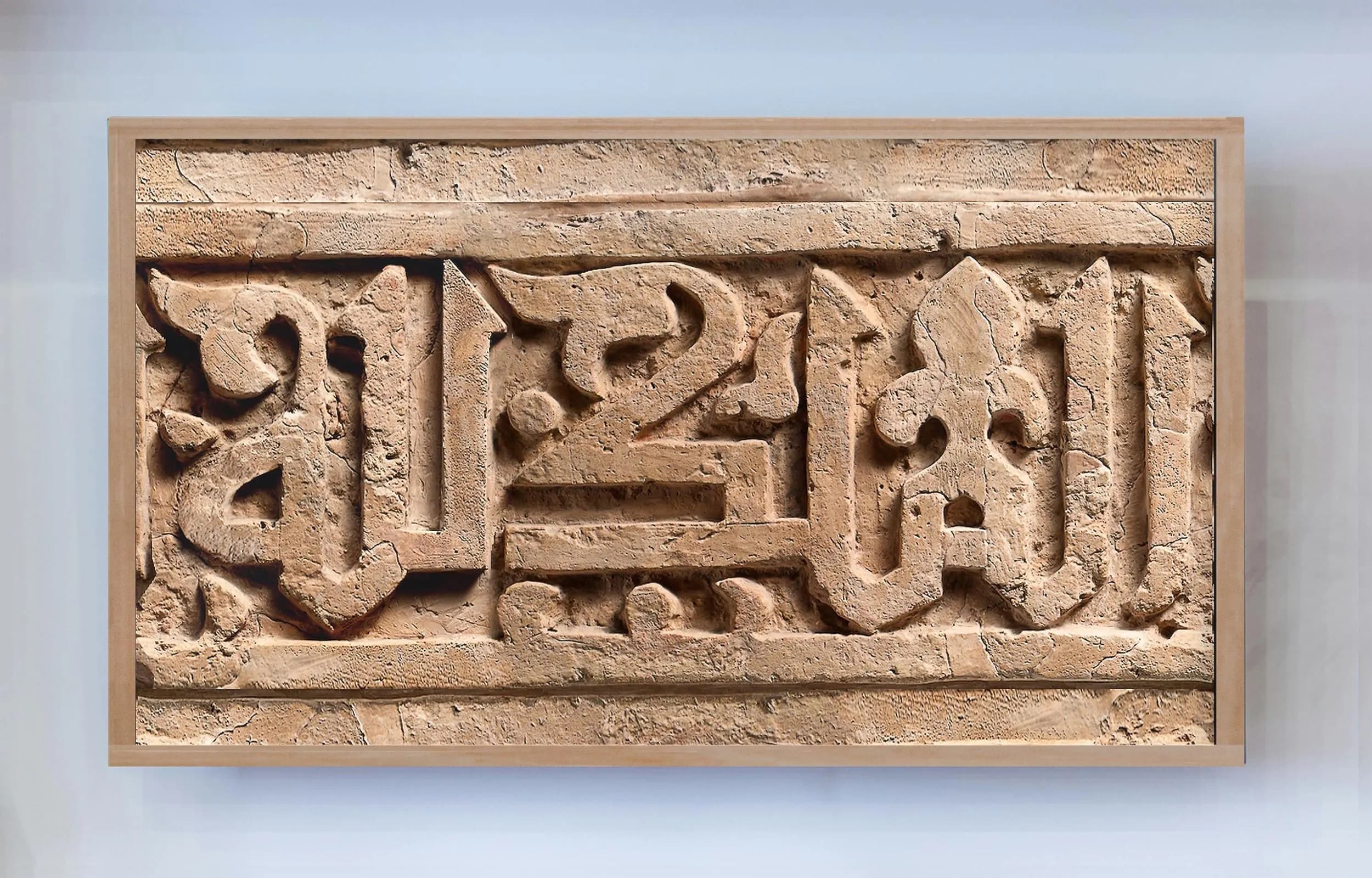
Islamic Samsung Frame TV Art - Calligraphy Freize, Electic Decor, Tepe Madraseh, Arabesque Decor, Mosque, Geometric Art, Architecture
GBP3.50
In stock
Description
TV Frame Art - Arabic Calligraphy Frieze (Sovereignty is God's, Seljuk, Tepe Madraseh, Frieze, 11th Century)
Enhanced digital image [*] especially for use with Samsung TVs with that have the Frame Art Mode (also works with other similar 4K TVs e.g. LG Gallery TV and Hisense CanvasTV).
[*] Images are colour-corrected and enhanced for 4K TV but are not suitable for printing. In many cases they are also cropped in order to fit the dimensions of the Frame TV screen. Our fully-restored (full-size and highest quality) images are available as prints only. If you cannot find what you are looking for, please contact us.
These files are for personal use only. Resale and commercial use is prohibited.
INCLUDED IN THE DOWNLOAD
* JPG at 3840 x 2160 (16:9 ratio)
* PDF guide on installing the art
Digital download only. Not suitable for print, and no physical products will be sent. If you wish to buy print versions of our artworks (which are digitally remastered *exclusively* by Future Past Creations in-house) please check out the rest of our store: https://www.etsy.com/uk/shop/FlamingPrints/
To add the image(s) to your Samsung Frame TV, use our guide below, or follow the instructions for Samsung at https://www.samsung.com/us/support/answer/ANS00076727/)
For LG: https://www.lg.com/us/support/help-library/lg-tv-how-to-use-gallery-mode--20153288405444
For Hisense: Not yet available
** FROM PHONE (SMARTTHING) **
• After purchase, download or copy the PNG file to your phone
• Connect your phone and TV to the same wifi connection
• Open the SmartThing App (free app by Samsung)
• Select 'Art Mode' (Make sure your Frame TV is also connected to the app)
• Add the image file you just downloaded (already sized best for use with no mat)
• (Optional) If you have a collection of images and want to run them as a slideshow, select 'Slideshow'
• Select 'No Mat'
• Select 'Set'
• Done.
** FROM USB STICK **
• Connect a USB drive containing your photos to any USB port on the One Connect Box
• While The Frame is in Art Mode, press Select on your OneRemote
• Use the OneRemote to move to My Collection, and then move to and select the connected storage device
• Use the OneRemote to select and import image(s)
• Press arrow up on the OneRemote to move to Save at the top of the screen
• Highlight your image to highlight it and press arrow back up and select Save to My Photos
• Remove your USB stick
• Done.